
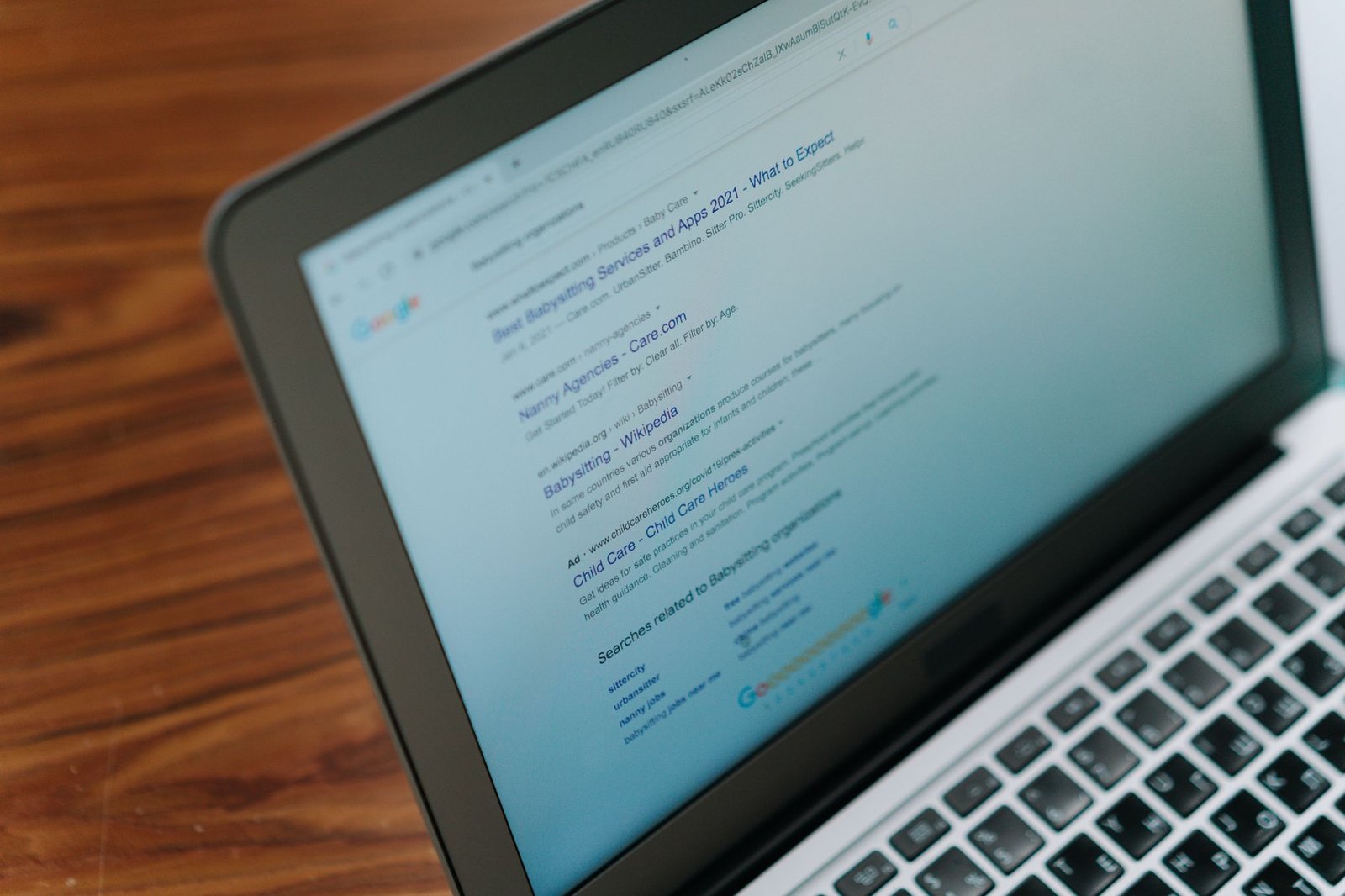
Quick answer: Laptop SEO Optimization means tailoring your site’s content, structure, and authority so that search engines consistently place your laptop‑related pages at the top of relevant queries, driving more traffic and sales.
Imagine a shopper typing “best lightweight laptop for college” into Google. The first few results capture most clicks, while the rest fade into obscurity. Whether you sell new devices, run a tech‑review blog, or offer repair services, appearing in those top spots can be the difference between a steady stream of customers and a quiet website. That’s why mastering Laptop SEO Optimization matters: it aligns your site with what users are searching for, improves the user experience, and builds lasting authority in a competitive niche.
In this guide you’ll learn how to lay a solid SEO foundation, discover the most relevant laptop‑specific keywords, and apply on‑page tweaks that make each product or article shine. We’ll walk through a practical technical checklist to ensure search engines can crawl your site without friction, then show you how to earn high‑quality backlinks and brand mentions that signal trust. You’ll also see how AI tools can automate ongoing audits and content ideas, keeping you ahead of algorithm updates. Finally, we’ll explore emerging trends—voice search for “laptop repair near me,” visual search for product images, and the growing role of AI‑generated snippets—so you can future‑proof your strategy.
1. Understanding Laptop SEO Fundamentals
Before you dive into tactics, grasp the core concepts that make SEO work for laptop‑focused sites.
- Search intent: Users may be researching specs, comparing prices, or seeking repair help. Align your pages with each intent type.
- Relevance and authority: Search engines assess how closely your content matches a query and how many trustworthy sites endorse it.
- User experience: Fast loading, mobile‑friendly layouts, and clear navigation keep visitors engaged and signal quality to Google.
Think of SEO as a conversation: you ask a question (the search query) and Google replies with the most helpful answer it can find. Your job is to make sure your site is the best answer.
2. Keyword Research for Laptop Niches
Effective keyword research uncovers the exact phrases your audience types into search engines.
- Brainstorm seed terms: Start with broad ideas like “gaming laptop,” “ultrabook,” “laptop battery replacement.”
- Use free tools: Google’s autocomplete, “People also ask,” and the “Searches related to” section reveal long‑tail variations such as “quiet gaming laptop under $1500.”
- Group keywords by intent: Create clusters—informational (e.g., “how to upgrade laptop RAM”), commercial (e.g., “best 2‑in‑1 laptop 2024”), and transactional (e.g., “buy refurbished Dell XPS”).
- Prioritize relevance over volume: A niche term with modest search volume can drive higher conversion if it matches a specific product you sell.
Document your findings in a simple spreadsheet: column A for keyword, B for intent, C for primary page target.
3. On‑Page Optimization Techniques
Once you have your keyword list, embed them strategically across each page.
- Title tag: Place the primary keyword near the beginning, e.g., “Best Lightweight Laptop for College 2024 – Review & Buying Guide.”
- Meta description: Write a compelling 150‑160‑character summary that includes the keyword and a call‑to‑action.
- Headings (H1‑H3): Use the keyword in the H1 and sprinkle related terms in subheadings to reinforce topic relevance.
- Body content: Aim for natural usage—first paragraph, a few times in the middle, and once near the end. Include synonyms and answer common questions.
- Images: Optimize file names (“lenovo-thinkpad-x1-carbon.jpg”) and alt text (“Lenovo ThinkPad X1 Carbon open on a desk”).
- Internal links: Connect related articles (“How to choose a laptop SSD”) using descriptive anchor text.
4. Technical SEO Checklist for Laptop Sites
| Task | Why it matters | Action step |
|---|---|---|
| Mobile‑friendly design | Most laptop shoppers browse on phones. | Use responsive templates; test with Google’s Mobile-Friendly tool. |
| Site speed | Fast pages improve user satisfaction and rankings. | Compress images, enable browser caching, and leverage a CDN. |
| Secure HTTPS | Security is a ranking signal. | Install an SSL certificate and redirect HTTP to HTTPS. |
| XML sitemap | Helps crawlers discover all product and blog pages. | Generate a sitemap and submit it in Google Search Console. |
| Structured data | Enables rich snippets like price, rating, and availability. | Add JSON‑LD markup for Product and Review schema. |
| Canonical tags | Prevents duplicate content issues across similar laptop models. | Set a canonical URL on each page pointing to the preferred version. |
5. Building Authority with Backlinks and Mentions
Authority signals come from other sites vouching for your content.
- Guest posting: Write detailed laptop comparison guides for tech blogs; include a natural link back to your product page.
- Resource pages: Offer a “Laptop Maintenance Checklist” PDF that universities can link to as a study aid.
- Unlinked brand mentions: Monitor mentions of your brand using Google Alerts; reach out to ask for a link.
- Local citations: If you run a repair shop, list your business on Google Business Profile, Yelp, and local directories to boost local SEO.
Focus on quality over quantity—one link from a reputable tech review site carries more weight than dozens from low‑authority blogs.
6. Leveraging AI Tools for Ongoing Optimization
AI can automate repetitive SEO tasks and surface new opportunities.
- Content ideas: Use AI generators to brainstorm blog topics based on trending laptop queries, then refine with human expertise.
- On‑page audits: Tools like Surfer SEO or Clearscope compare your page against top‑ranking competitors and suggest keyword density, heading structure, and length adjustments.
- Technical monitoring: AI‑driven crawlers alert you to broken links, slow pages, or missing schema in real time.
- Competitor tracking: Set up alerts for new backlinks earned by rival laptop retailers and consider outreach for similar opportunities.
Remember to review AI suggestions for accuracy and brand voice before publishing.
7. Future Trends & Continuous Improvement
SEO is never static; staying ahead requires regular evaluation.
- Voice search: Optimize for natural‑language queries like “What’s the best laptop for video editing?” by answering in concise paragraphs.
- Visual search: Ensure product images are high‑
Table of Contents
- 1. Understanding Laptop SEO Fundamentals
- 2. Keyword Research for Laptop Niches
- 3. On‑Page Optimization Techniques
- 4. Technical SEO Checklist for Laptop Sites
- 5. Building Authority with Backlinks and Mentions
- 6. Leveraging AI Tools for Ongoing Optimization
- 7. Future Trends & Continuous Improvement
- Conclusion
- FAQs
1. 1. Understanding Laptop SEO Fundamentals
1. Understanding Laptop SEO Fundamentals
Search engines evaluate product‑focused sites through a blend of relevance, authority, and technical soundness. When a user types “best 15‑inch laptop for graphic design,” the engine tries to match that intent with pages that clearly describe the product, compare alternatives, and demonstrate trustworthiness. The following points outline how this evaluation works for laptop sites.
What Search Engines Look for on Laptop Pages
Search crawlers scan every page for signals that indicate the page is a reliable source for laptop information. Key factors include:
- Clear product identification: Model name, SKU, and specifications should appear early in the content and in HTML elements such as
<title>and<h1>(even though we are not usingh1here, the principle remains). - Comprehensive specifications: Detailed tables that list CPU, GPU, RAM, storage, screen size, and battery life help both users and algorithms understand the product.
- User intent alignment: If the query is about “lightweight laptops for travel,” the page should discuss weight, dimensions, and portability features.
- Trust signals: Customer reviews, expert ratings, and clear return policies signal credibility.
Generic Tech SEO vs. Laptop‑Specific SEO
While the broad principles of technical SEO apply to any website, laptop sites require a narrower focus. Generic tech SEO often emphasizes broad topics like “best laptops” or “technology trends.” Laptop‑specific SEO drills down to individual models, configurations, and use‑case scenarios.
For example, a generic tech article might rank for “laptop buying guide,” but a laptop‑specific page aims to rank for “Dell XPS 13 2024 review” or “MacBook Pro M2 performance benchmarks.” This shift influences keyword selection, content depth, and internal linking strategies.
Key Ranking Signals
Signal Why It Matters Actionable Example Content relevance Matches user intent and query terms. Include a specs table for the HP Spectre x360 14 within the first 150 words. Backlinks Shows external endorsement from reputable tech sites. Earn a link from a recognized review site by offering an exclusive hands‑on video. Technical health Ensures crawlers can access and render the page quickly. Implement lazy loading for product images and validate HTML with the W3C validator. Why Mobile‑First Indexing Matters for Laptop Shoppers
Most consumers begin their research on smartphones, even when they intend to purchase a laptop later on a desktop. Google’s mobile‑first indexing means the mobile version of a page is the primary source for ranking decisions. If the mobile experience is missing key details—such as a truncated specs table or broken navigation—the page may lose visibility, even though the desktop version is perfect.
To accommodate mobile‑first indexing, ensure that:
- All essential content (specs, pricing, call‑to‑action buttons) appears above the fold on mobile devices.
- Images are optimized for fast loading without sacrificing clarity; use modern formats like WebP.
- Interactive elements, such as “compare” widgets, are touch‑friendly and do not rely on hover states.
By aligning the mobile experience with the expectations of laptop shoppers, you reinforce relevance, improve user satisfaction, and satisfy the indexing criteria that search engines prioritize.
2. 2. Keyword Research for Laptop Niches
2. Keyword Research for Laptop Niches
Finding the right keywords is the foundation of any laptop‑focused SEO strategy. When you target terms that match a shopper’s intent, you attract visitors who are already primed to click, compare, or purchase. Below are the steps you can take to uncover high‑intent laptop keywords, expand into accessory and repair phrases, and evaluate the competitive landscape without spending a dime.
Identify High‑Intent Laptop Keywords
High‑intent keywords are those that indicate a clear buying or researching purpose. Phrases such as “best gaming laptop 2024”, “ultrabook with long battery life” or “affordable laptop for college students” typically appear near the bottom of the purchase funnel. To locate them:
- Brainstorm core categories. List the main laptop types you want to rank for: gaming, business, ultrathin, 2‑in‑1, budget.
- Combine with modifiers. Add words like “best,” “review,” “price,” “vs,” or the current year.
- Check Google’s autocomplete. Start typing a core term in the search bar and note the suggestions that appear.
For example, typing “gaming laptop” yields suggestions such as “gaming laptop under $1000,” “gaming laptop with RTX 3070,” and “gaming laptop 2024 review.” Each of these reflects a specific intent that you can target with a dedicated page or blog post.
Expand with Long‑Tail Phrases for Accessories and Repair Services
Long‑tail keywords are longer, more specific queries that often attract niche traffic. They are especially valuable for accessory and repair pages because competition is lower and the visitor’s intent is crystal clear. Examples include:
- “best laptop cooling pad for Dell XPS 13”
- “how to replace a laptop battery on a MacBook Air 2019”
- “cheap external SSD for gaming laptops”
- “laptop screen flicker fix guide”
To generate these phrases, take a primary laptop model or category and pair it with common problems (slow performance, overheating, broken hinge) or accessory needs (dock, mouse, sleeve). This approach yields dozens of actionable keywords that can each support a focused piece of content.
Analyze Competitor SERPs with Free Tools
Understanding what already ranks for your target terms helps you spot gaps and opportunities. Free tools such as Ubersuggest let you enter a keyword and view the top 10 organic results, along with estimated search volume, SEO difficulty, and the domains that own those positions.
Keyword Avg. Monthly Searches SEO Difficulty Top Ranking Sites best gaming laptop 2024 high medium TechRadar, CNET, PCMag laptop cooling pad for Dell XPS 13 moderate low Tom’s Hardware, Reddit threads replace MacBook Air 2019 battery low low iFixit, YouTube tutorials Notice how “laptop cooling pad for Dell XPS 13” has low difficulty and modest search volume—an ideal quick win. Meanwhile, “best gaming laptop 2024” shows higher difficulty, suggesting you’ll need more comprehensive content and stronger backlinks to compete.
Prioritize Keywords Using Volume, Difficulty, and Buyer Intent
After gathering a list, rank each term by three qualitative criteria:
- Search volume – Approximate interest level; higher volume can bring more traffic but often comes with tougher competition.
- SEO difficulty – How many strong domains already rank; lower difficulty means you can rank faster.
- Buyer intent – Does the phrase indicate a readiness to purchase, compare, or simply research?
Combine these factors into a simple scoring system (e.g., 1‑5 for each criterion) and calculate a total score. Focus first on keywords with a high intent score, moderate volume, and low to medium difficulty. Those are the queries most likely to generate qualified traffic while keeping the effort manageable.
By following this structured approach—identifying high‑intent core terms, branching into long‑tail accessory and repair phrases, leveraging free competitor analysis tools, and scoring each keyword—you’ll build a robust keyword foundation that fuels every subsequent SEO effort for your laptop site.
3. 3. On‑Page Optimization Techniques
3. On‑Page Optimization Techniques
When a visitor lands on a laptop product page, every element on that page should reinforce relevance, trust, and usefulness. Below are the core on‑page signals that search engines evaluate, along with concrete steps you can take right now.
Crafting Title Tags and Meta Descriptions
Title tag: Keep it under 60 characters so it displays fully in search results. Place the focus keyword toward the beginning, followed by a differentiator such as brand or unique selling point.
Example: Gaming Laptop 2024 – RTX 4070, 16 GB RAM – UltraFastTech
Meta description: Aim for 150‑160 characters. Summarize the product’s key benefit, include the keyword once, and add a call‑to‑action.
Example: Discover the UltraFastTech Gaming Laptop with RTX 4070 graphics, 16 GB RAM, and a 144 Hz display. Shop now for free shipping!
- Use a unique title and description for each laptop model.
- Avoid generic phrases like “Best Laptop” without context.
- Test variations in Google Search Console to see which snippets earn higher click‑through rates.
Structuring Headings (H1‑H3) for Clear Hierarchy
Even though the main page title is often generated by the CMS, you can still control sub‑headings. Follow this simple hierarchy:
- H1 – The product name (e.g., “UltraFastTech Gaming Laptop 2024”). Only one per page.
- H2 – Primary sections such as “Key Specifications,” “Performance Highlights,” and “Customer Reviews.”
- H3 – Sub‑points within those sections, like “Graphics Card,” “Battery Life,” or “Warranty Details.”
Place the focus keyword in the H1 and sprinkle it naturally in at least one H2 and one H3. This signals relevance without keyword stuffing.
Optimizing Product Descriptions
Search engines reward original, value‑driven copy. Replace manufacturer boilerplate with user‑centric language that answers common buyer questions.
- Start with a concise 2‑sentence summary that includes the keyword.
- Highlight three unique benefits (e.g., performance, portability, after‑sales support).
- Use bullet points for specs, but keep a narrative paragraph that explains why those specs matter.
- Incorporate related terms naturally—such as “high‑refresh‑rate display” or “thermal management system.”
Example snippet:
UltraFastTech Gaming Laptop 2024 delivers desktop‑level power in a sleek 15‑inch chassis. Equipped with an RTX 4070 GPU and 16 GB DDR5 RAM, it runs the latest AAA titles at ultra settings while maintaining a battery life of up to 8 hours—perfect for both marathon gaming sessions and on‑the‑go productivity.
Implementing Schema Markup
Schema helps search engines understand the page content and can trigger rich results such as product cards, star ratings, and FAQ expansions. Add JSON‑LD snippets directly before the closing
</head>tag.Schema Type Key Properties Result in SERP Product name, image, description, offers (price, availability), aggregateRating Product card with price, stock status, and rating stars Review author, reviewRating, reviewBody Star rating displayed beneath the product card FAQPage question, answer Expandable FAQ list directly in search results Sample JSON‑LD for a laptop product:
{
  "@context": "https://schema.org/",
  "@type": "Product",
  "name": "UltraFastTech Gaming Laptop 2024",
  "image": "https://example.com/images/ultrafasttech-2024.jpg",
  "description": "Desktop‑level performance with RTX 4070, 16 GB RAM, and 144 Hz display.",
  "sku": "UFT-GL2024",
  "offers": {
    "@type": "Offer",
    "priceCurrency": "USD",
    "price": "1499.99",
    "availability": "https://schema.org/InStock"
  },
  "aggregateRating": {
    "@type": "AggregateRating",
    "ratingValue": "4.7",
    "reviewCount": "128"
  }
}
Validate your markup with Google’s Rich Results Test, then monitor impressions for product, review, and FAQ rich results in the Performance report.
4. 4. Technical SEO Checklist for Laptop Sites
Improving Site Speed for Laptop E‑Commerce
Speed directly influences both rankings and purchase decisions. A laptop product page that loads in under three seconds keeps visitors engaged, while a slower experience raises bounce rates.
- Image compression – Convert product photos to WebP or AVIF and run them through tools like ImageOptim or TinyPNG. A 2000 × 1500 px image at 350 KB can often be reduced to 70 KB without visible quality loss, cutting load time dramatically.
- Lazy loading – Apply the native
loading="lazy"attribute to images below the fold. This defers download until the user scrolls, shrinking the initial payload. - Content Delivery Network (CDN) – Distribute static assets (images, CSS, JavaScript) across edge servers. For a global laptop store, a CDN can shave 0.8 – 1.2 seconds off the Time to First Byte (TTFB) for visitors in distant regions.
Ensuring Mobile‑Friendly Design and Responsive Product Grids
Most shoppers browse laptops on smartphones or tablets before making a final decision on a desktop. A responsive layout must adapt without sacrificing readability.
Breakpoint Grid Layout Key Adjustments ≥ 1200 px 4‑column grid Show full specs overlay on hover. 768 – 1199 px 2‑column grid Stack image above description, increase tap target size. < 768 px 1‑column list Enable accordion for specs, ensure button text is at least 44 px high. Use
viewportmeta tags and CSSflexorgridto let the browser rearrange elements automatically. Test with Google’s Mobile-Friendly Test tool to catch hidden issues such as fixed‑position footers that obscure content.Setting Up an XML Sitemap and Robots.txt
An XML sitemap tells search engines where to find every laptop product, blog post, and support article. Meanwhile,
robots.txtprevents crawling of low‑value pages that could waste crawl budget.- Generate a sitemap with a plugin or script that includes
<url>entries for each product, usingpriorityof 0.8 for best‑selling models and 0.5 for older stock. - Upload
sitemap.xmlto the root directory and submit it in Google Search Console. - Create a
robots.txtfile that:- Allows
/(the whole site) to be crawled. - Disallows
/cart/,/checkout/, and/wp-admin/to keep private pages out of the index. - Specifies the sitemap location with
Sitemap: https://www.example.com/sitemap.xml.
- Allows
Fixing Broken Links, Duplicate Content, and Canonical Issues
Technical glitches can dilute link equity and confuse crawlers. Regular audits keep the site healthy.
- Broken links – Use a crawler like Screaming Frog to export all 404 URLs. Set up 301 redirects to the most relevant live product or a category page. Example: redirect
/laptops/old-modelto/laptops/new-model. - Duplicate content – Avoid separate URLs for the same laptop (e.g.,
/laptops/model-xand/product?id=123). Consolidate by using a single canonical URL and addrel="canonical"tags on any alternate pages. - Canonical tags – Place a self‑referencing canonical link in the
<head>of every product page:
<link rel=”canonical” href=”https://www.example.com/laptops/model-x”>
This signals to search engines which version should receive ranking credit.
Schedule these checks quarterly, or automate them with a monitoring service, to ensure that your laptop site remains fast, crawlable, and free of technical roadblocks.
5. 5. Building Authority with Backlinks and Mentions
5. Building Authority with Backlinks and Mentions
Authority signals are a cornerstone of laptop‑focused SEO. When reputable sites point to your content, search engines treat your pages as trustworthy references for users looking for reviews, buying guides, or technical specifications. Below are four practical avenues for acquiring and managing those signals.
Earning Links from Tech Review Blogs, Gadget Forums, and News Sites
High‑quality editorial links carry more weight than generic directory listings. To attract them, create assets that naturally fit the audience of each platform:
- In‑depth benchmark reports. Publish a comparative performance table for the latest 14‑inch ultrabooks, then reach out to sites like TechRadar or NotebookCheck with a concise pitch: “We’ve tested the XYZ model across 10 real‑world scenarios—here’s the data you can embed.”
- Hands‑on video walkthroughs. Short, captioned videos showing how to upgrade RAM or replace a SSD on popular laptop lines often get featured on gadget forums such as Reddit’s r/laptops or Tom’s Hardware threads.
- News‑worthy announcements. If you partner with a manufacturer for an exclusive pre‑release, draft a press release and distribute it via services that feed tech news outlets. Even a brief mention in a roundup article can generate a valuable backlink.
Leveraging Unlinked Brand Mentions in AI‑Generated Content
AI tools now produce articles, product summaries, and social posts that may reference your brand without linking back. Turn those silent citations into link equity:
- Set up a Google Alert for your brand name and key product models.
- When an AI‑generated piece mentions you, contact the author or platform politely: “Thanks for mentioning Brand X. Would you consider adding a link to our detailed review? It could enhance reader value.”
- Offer a ready‑made anchor text and URL to make the addition effortless.
This approach respects the original content while improving its usefulness, and most writers appreciate the quick fix.
Guest Posting Strategies for Laptop‑Related Topics
Guest posts remain a reliable way to earn contextual backlinks. Focus on sites that already discuss laptops, computing hardware, or consumer electronics. Follow these steps:
- Identify target blogs. Use a tool like Ahrefs to filter sites with “laptop review,” “PC hardware,” or “tech buying guide” in their top keywords.
- Craft a pitch that solves a problem. Example: “5 Common Mistakes When Choosing a Business Laptop – a guide for small‑business owners.” Attach an outline and suggest a 800‑word article.
- Include a natural link. Within the post, link anchor text such as “best battery‑life laptops for remote work” to a relevant page on your site.
- Follow up with a brief thank‑you email. Offer to promote the published post on your social channels, reinforcing the partnership.
Monitoring Backlink Health and Disavowing Spammy Links
Not all backlinks are beneficial. Toxic links from link farms or unrelated directories can harm rankings. Implement a regular audit using the table below.
Audit Frequency Tool / Method Action Monthly Google Search Console “Links” report Export list, flag domains with low domain authority or irrelevant content. Quarterly Ahrefs “Backlink Profile” overview Identify sudden spikes; investigate source. Bi‑annual Manual review of top 20 referring domains Mark any that appear to be spam networks. As needed Disavow Tool Upload a .txt file containing only the toxic domains. When you discover a suspicious link, first try to request removal from the site owner. If that fails, add the domain to a disavow file and submit it through Google’s Disavow Links tool. Keeping your backlink profile clean ensures that the authority you build remains a net positive for your laptop SEO efforts.
6. 6. Leveraging AI Tools for Ongoing Optimization
Using ChatGPT or Claude to Generate SEO‑Friendly Product Copy at Scale
When you need to describe dozens of laptop models, writing each description by hand quickly becomes a bottleneck. Large language models such as ChatGPT or Claude can produce consistent, keyword‑rich copy in minutes. Follow these steps:
- Gather the core specifications for each laptop (CPU, RAM, storage, screen size, weight, battery life).
- Create a prompt template that includes the brand, model, and a list of specs, then asks the model to write a 150‑word product description that naturally incorporates target keywords like “lightweight gaming laptop” or “ultrabook for professionals.”li>
- Run the prompt in batch mode (via the API or a no‑code connector) and export the results to a CSV.
- Use a quick spreadsheet formula to verify that each description contains at least one primary keyword and one secondary keyword.
- Publish the copy, then monitor bounce rate and conversion metrics to fine‑tune the prompt.
Example prompt: “Write a concise, SEO‑friendly description for the ZenBook Pro 14 that highlights its 14‑inch 4K display, Intel i7 processor, 16 GB RAM, and 1 TB SSD. Include the phrases ‘premium ultrabook’ and ‘long‑lasting battery’.”
AI‑Driven Content Gap Analysis to Discover Missing Laptop Topics
Instead of guessing what readers still want, let an AI model scan the top‑ranking pages for your seed keywords and surface topics you haven’t covered. The workflow looks like this:
- Export the titles and headings of the first 10 SERP results for “best laptops for video editing 2024.”
- Feed the list to an AI tool with a prompt such as: “Identify any laptop‑related subtopics that appear in these headings but are not present on my site.”
- Review the AI’s output, which often includes niche ideas like “color‑accurate displays for photographers” or “laptops with Thunderbolt 4 docking support.”
- Prioritize the gaps based on search intent and difficulty, then create new articles or product guides to fill them.
Automated Rank Tracking and SERP Feature Monitoring with SurferSEO
SurferSEO offers a dashboard that updates keyword positions daily and flags emerging SERP features such as “People also ask” or “Featured snippets.” Set up a project for each primary keyword (e.g., “lightweight gaming laptop”). The tool will:
Metric Why It Matters Current Rank Shows visibility trends over time. Feature Presence Indicates opportunities for snippet optimization. Competitor Score Helps you benchmark against the top three pages. Content Gap Score Points to missing headings or entities. Schedule a weekly email summary, then allocate your editorial resources to the pages that are slipping or missing high‑value features.
Predictive Keyword Forecasting Using AI Trend Models
AI platforms that analyze search trends (for example, the trend module in Ahrefs or a custom Python model using Google Trends data) can forecast which laptop‑related queries will rise in popularity. A simple predictive workflow includes:
- Collect the past 12 months of search volume for a seed list (e.g., “ARM laptops,” “OLED laptop screens”).
- Feed the series into an AI time‑series model (such as Prophet or a neural network) to generate a 3‑month forecast.
- Identify keywords with a projected month‑over‑month growth of at least 15 %.
- Create a content calendar that targets these emerging terms before competitors catch up.
By integrating these AI‑powered steps into your regular SEO routine, you keep laptop content fresh, comprehensive, and aligned with the fast‑moving search landscape of 2024.
7. 7. Future Trends & Continuous Improvement
Voice Search Optimization for “find a laptop near me” Queries
More consumers are using voice assistants to locate products while they’re on the move. When a user says, “find a laptop near me,” the search engine prioritizes results that combine local intent with product relevance. To capture this traffic:
- Include natural language phrases in product titles and meta descriptions, e.g., “Best laptops for students near you.”
- Mark up store locations with
LocalBusinessschema, specifyingaddress,geocoordinates, andopeningHours. This helps the engine match “near me” queries to your nearest storefront. - Optimize for “near me” keywords in page copy: “Visit our downtown store to try the latest Dell XPS 13, just a 5‑minute walk from downtown Plaza.”
- Ensure mobile‑friendly speed because voice searches are almost always performed on mobile devices.
Core Web Vitals as a Ranking Factor for E‑commerce Performance
Google’s Core Web Vitals—Largest Contentful Paint (LCP), First Input Delay (FID), and Cumulative Layout Shift (CLS)—directly influence product page rankings and conversion rates. For laptop retailers, a slow LCP can mean lost sales during high‑traffic events like Black Friday.
Actionable steps:
- Measure current scores with PageSpeed Insights or Chrome DevTools.
- Prioritize image optimization: serve next‑gen formats (WebP), use
srcsetfor responsive images, and implement lazy loading for below‑the‑fold product galleries. - Reduce server response time: adopt a CDN, enable HTTP/2, and cache static assets.
- Eliminate layout shifts by reserving space for images and ads with explicit width/height attributes.
Adapting to Generative AI Citations That Favor Fast, Authoritative Sources
Generative AI models increasingly pull information from recent, high‑authority pages when answering shopping queries. To stay in the AI citation loop:
- Publish timely, data‑rich content such as “2024 Laptop Buying Guide” that includes up‑to‑date benchmark scores, battery‑life tables, and price comparisons.
- Earn citations from reputable tech sites by offering exclusive hands‑on reviews or detailed teardown videos that they can reference.
- Use structured data (e.g.,
ProductandReviewschema) to make key facts easily extractable by AI parsers. - Maintain fast page loads because AI models weigh page speed when selecting sources.
Quarterly SEO Audits: Metrics to Track and How to Iterate
Regular audits keep your laptop site agile in a fast‑changing market. Below is a concise checklist you can run every three months.
Metric Why It Matters How to Improve Organic Traffic Growth Shows overall visibility trends. Adjust keyword focus based on rising search terms. Core Web Vitals Scores Direct impact on rankings and conversions. Implement image compression, server caching. Backlink Quality Index Signals authority to search engines. Outreach for links from tech review sites. Voice Search Click‑Through Rate Measures success of “near me” optimization. Refine local schema and conversational copy. AI‑Generated Snippet Presence Indicates AI citation favorability. Publish fresh, structured product data. After each audit, pick the top two metrics that fell short of targets and create a 30‑day action plan. For example, if CLS spikes, allocate the first week to audit CSS animations and the second week to add size attributes to all product images. Document results, then revisit the same metrics in the next quarter to confirm the improvement.
Conclusion
Conclusion
Optimizing a laptop‑focused website for 2024 hinges on mastering the basics, choosing the right keywords, and polishing every on‑page element. By following a systematic technical checklist—clean URLs, fast load times, mobile‑first design—you give search engines a clear signal that your site is trustworthy and user‑friendly. Authority doesn’t appear overnight; earn it with genuine backlinks, strategic mentions, and by sharing valuable content that solves real laptop‑related problems. AI tools can keep your strategy agile, flagging content gaps and suggesting fresh topics before competitors do. Finally, treat SEO as a continuous loop: monitor performance, adapt to algorithm updates, and iterate on what works. Start applying these steps today, track your rankings, and watch your laptop site climb higher in the SERPs.
Frequently Asked Questions
What is the most important factor for laptop SEO in 2024?
The most critical factor is delivering a fast, mobile‑first experience that aligns with user intent. Search engines prioritize sites that load quickly, adapt seamlessly to any device, and provide clear, relevant answers to laptop‑related queries.
How many keywords should I target on a single laptop product page?
Focus on one primary keyword and two to three closely related secondary terms. This approach keeps the content focused while allowing you to capture variations of the search intent without keyword stuffing.
Do product reviews help with laptop SEO?
Yes, detailed, honest reviews add unique content that attracts both users and search engines. Include specifications, performance benchmarks, and personal insights to differentiate your page from generic manufacturer descriptions.
What technical issue most often hurts laptop site rankings?
Slow page speed is the biggest technical barrier. Large images, uncompressed scripts, and lack of caching can dramatically increase load times, leading to higher bounce rates and lower rankings.
How can I earn backlinks for a laptop blog?
Create high‑value resources such as comparison charts, buying guides, or in‑depth tutorials. Reach out to tech influencers, forums, and review sites, offering them these resources as reference material for their own audiences.
Are AI‑generated meta descriptions safe to use?
AI can draft meta descriptions quickly, but you should always review and edit them for accuracy and brand voice. Search engines favor human‑crafted, concise summaries that truly reflect page content.
How often should I audit my laptop site’s SEO?
Perform a comprehensive audit at least twice a year, with lighter checks—like broken links and page speed—every month. Regular monitoring ensures you catch issues before they impact rankings.
Sources
- Maximize Your Small Business SEO With These 5 Tips
- SEO tips for small businesses
- How to Make a Local SEO Strategy to Boost Local Visibility | Coursera
- 9 Effective Small Business SEO Strategies and Ideas
Sources accessed November 14, 2026.
Related articles
Photo by cottonbro studio via Pexels